Tasks
Keep everyday actions, due dates, priorities, notes, and progress in one clear list.
Current release · v0.12.0
One clear step at a time.
Keep track of tasks, renewals, bills, health information, people, and important life records instead of relying on memory, paper notes, folders, and separate spreadsheets.
Your Calm Assistant records are stored in a workbook in your Google Drive and are protected by your Google Account and Drive access settings. Sign in with your Google Account. There is no separate Calm Assistant password.
Sign in with your Google Account. Calm Assistant does not create or store a separate app password.
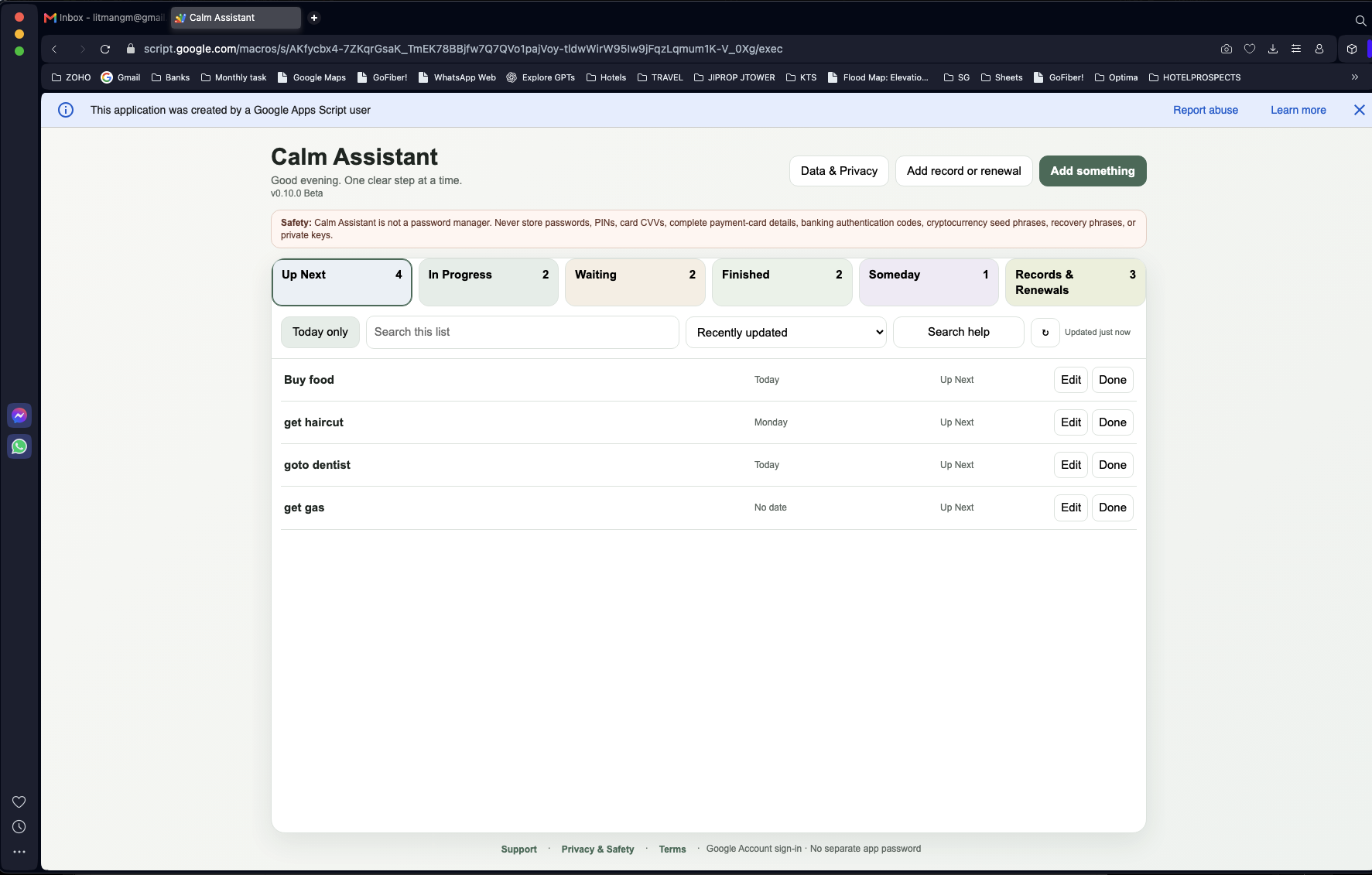
Designed for ordinary life
Keep everyday actions, due dates, priorities, notes, and progress in one clear list.
Track passports, permits, licences, insurance, taxes, and other records that need attention over time.
Record bills and receipts, then review details from supported files before saving them.
Keep important health information together, including blood tests, lab results, biomarkers, blood pressure, medicines and other health records.
Keep useful details about the people connected to your plans, records, and responsibilities.
Organise locations, assets, accounts, everyday items, document references, personal notes, and recorded summaries.
Life & Asset Organizer
Keep practical reference information together without turning it into a legal, financial, or estate-planning system.
Record meaningful places and nested areas, such as a home, room, cabinet, or storage area.
Keep a clear record of important assets and accounts, including where they are kept and who they are associated with.
Record everyday items and, where relevant, who they are intended for.
Record what an important document is, what it relates to, and where you keep it. Calm Assistant does not upload or store the document itself.
Write down personal wishes or helpful notes for future reference. This is not a legal document.
See straightforward summaries based on information you have entered, including items that may need attention or have not yet been recorded.
See Calm Assistant in use
These examples use fictional information to show how Calm Assistant helps you keep everyday records organised.
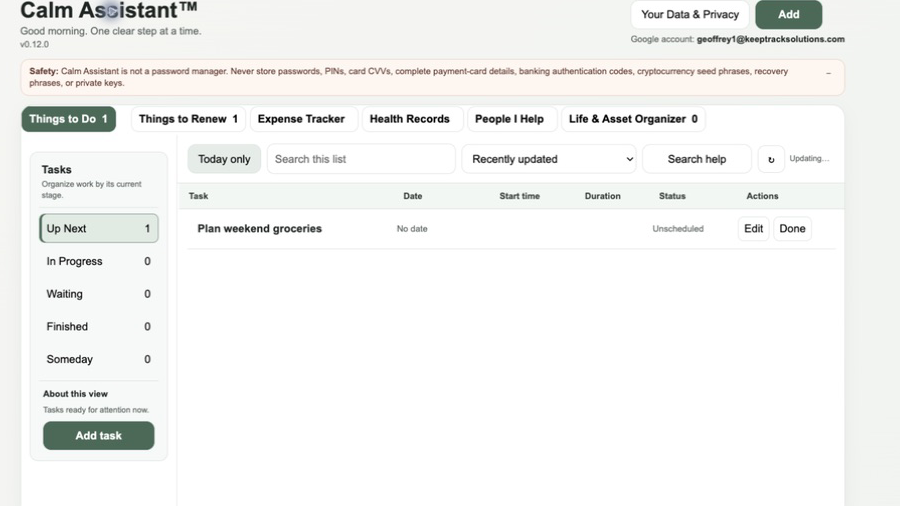
Keep useful tasks and next steps where you can see them.
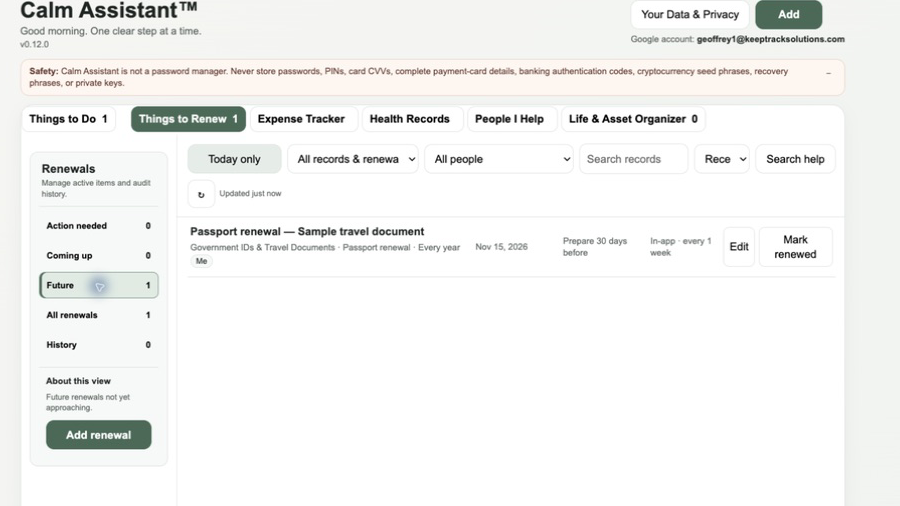
Keep important renewal dates visible before they become urgent.
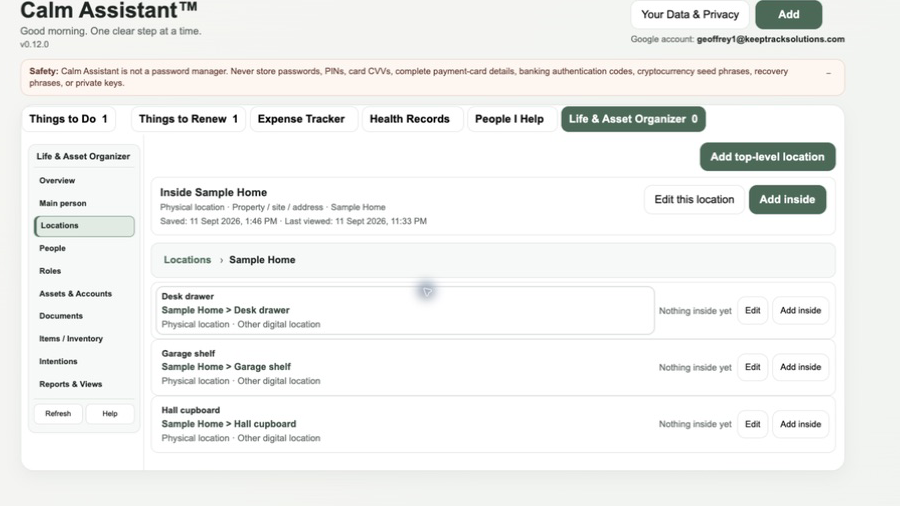
Organise meaningful places, including rooms, drawers, cupboards and other nested locations.
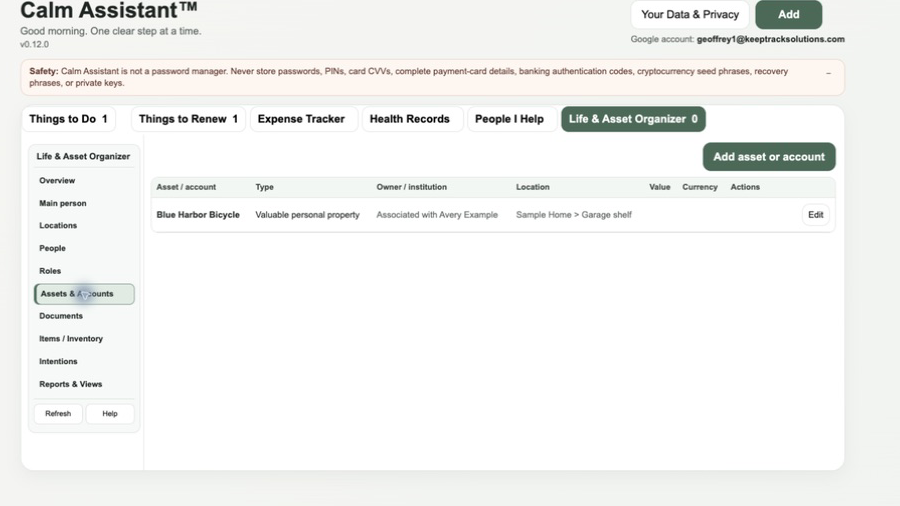
Record an important asset, who it is associated with, and where it is kept.
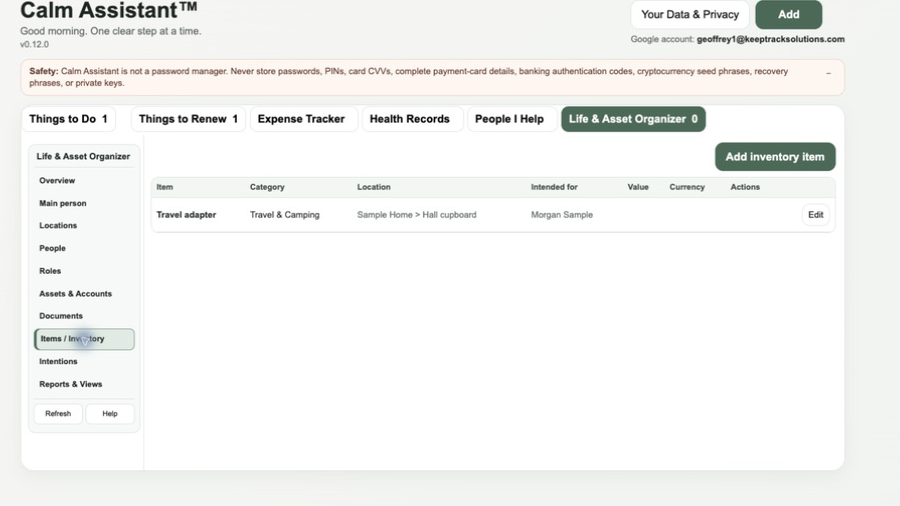
Keep track of useful items, where they are, and who they are intended for.
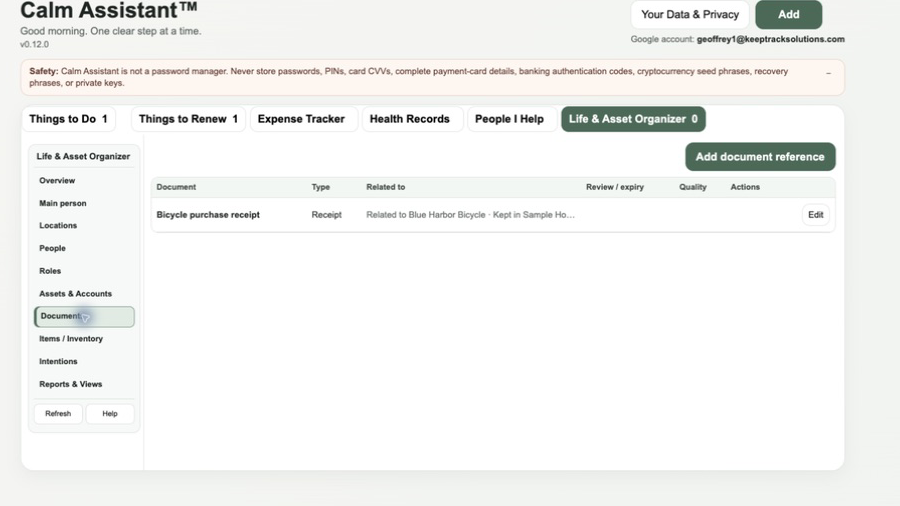
Record what an important document relates to and where the original can be found.
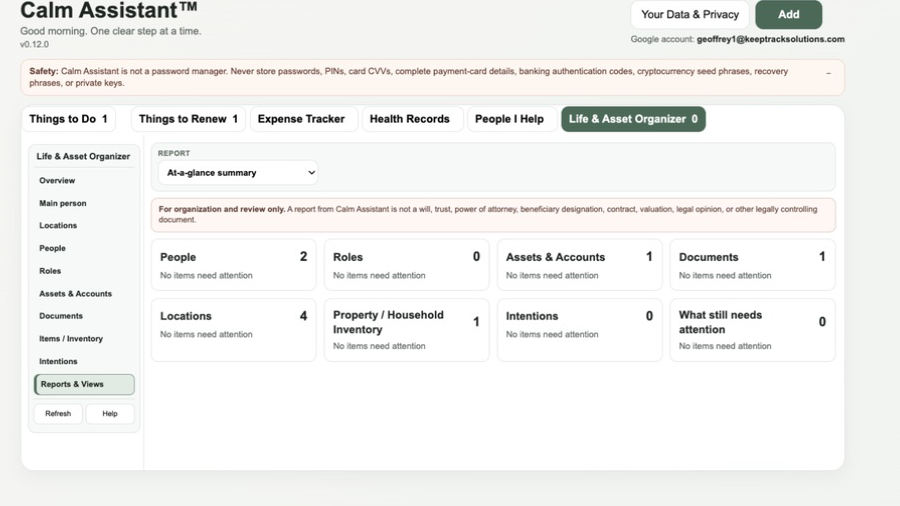
See a simple summary of the information you have organised.
How it works
Privacy & safety
Calm Assistant is not a password manager and is not end-to-end encrypted. Do not store passwords, PINs, card security codes, banking authentication codes, recovery codes, cryptocurrency seed phrases or private cryptographic keys.
Calm Assistant helps you record and organise health information. It does not diagnose conditions or replace medical advice.
Supported PDFs are read in your browser and do not use the image-scan allowance. JPG and PNG images may be sent temporarily to Google Cloud Vision for text recognition. Image OCR may be incomplete or incorrect, so review extracted details before saving.
Questions or support
Tell us what you were doing, what happened and what you expected. Please do not email confidential records or account details.